Supersize Me. Or: When Smartphones Are Simply Too Big...
, Demodern

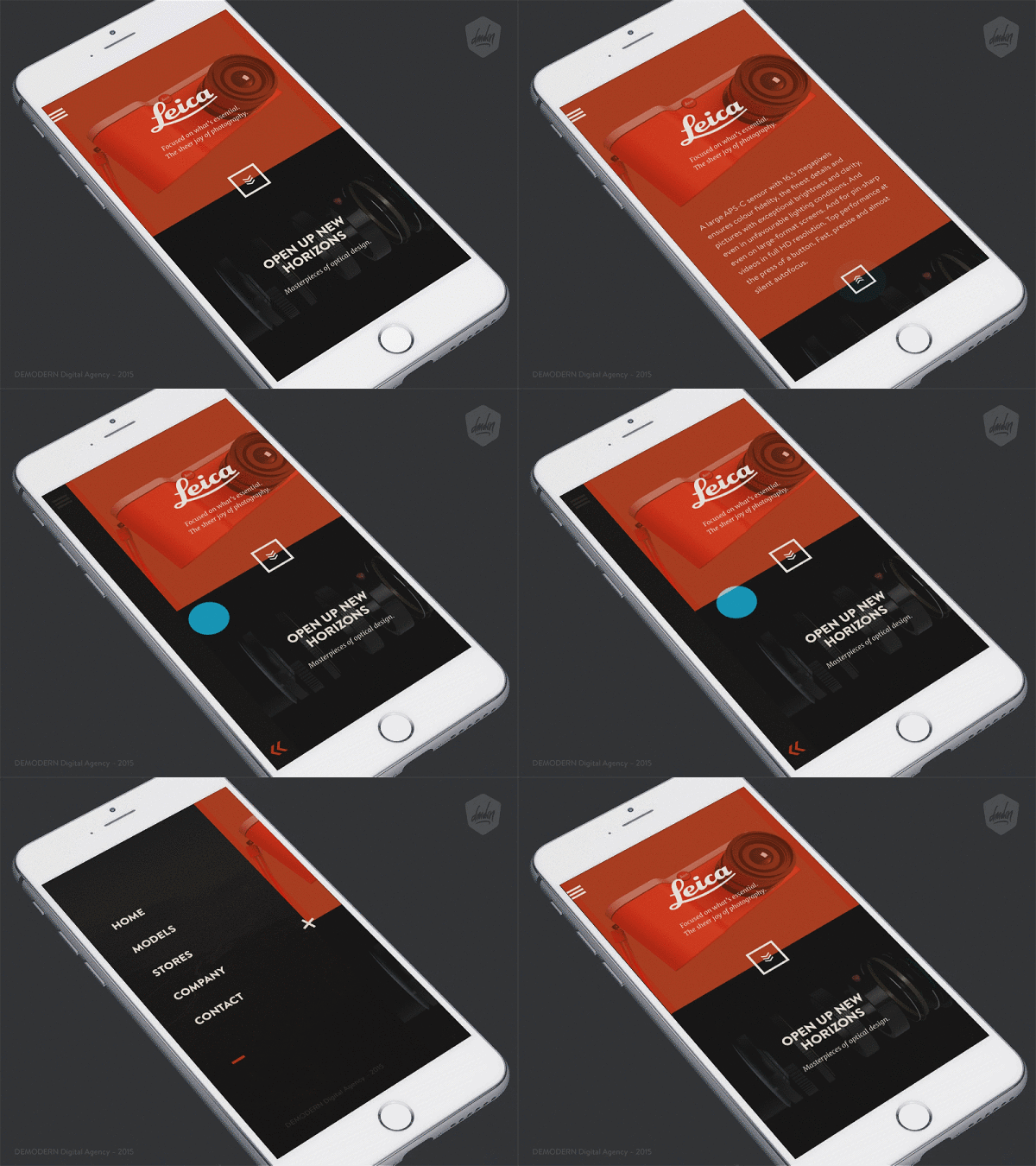
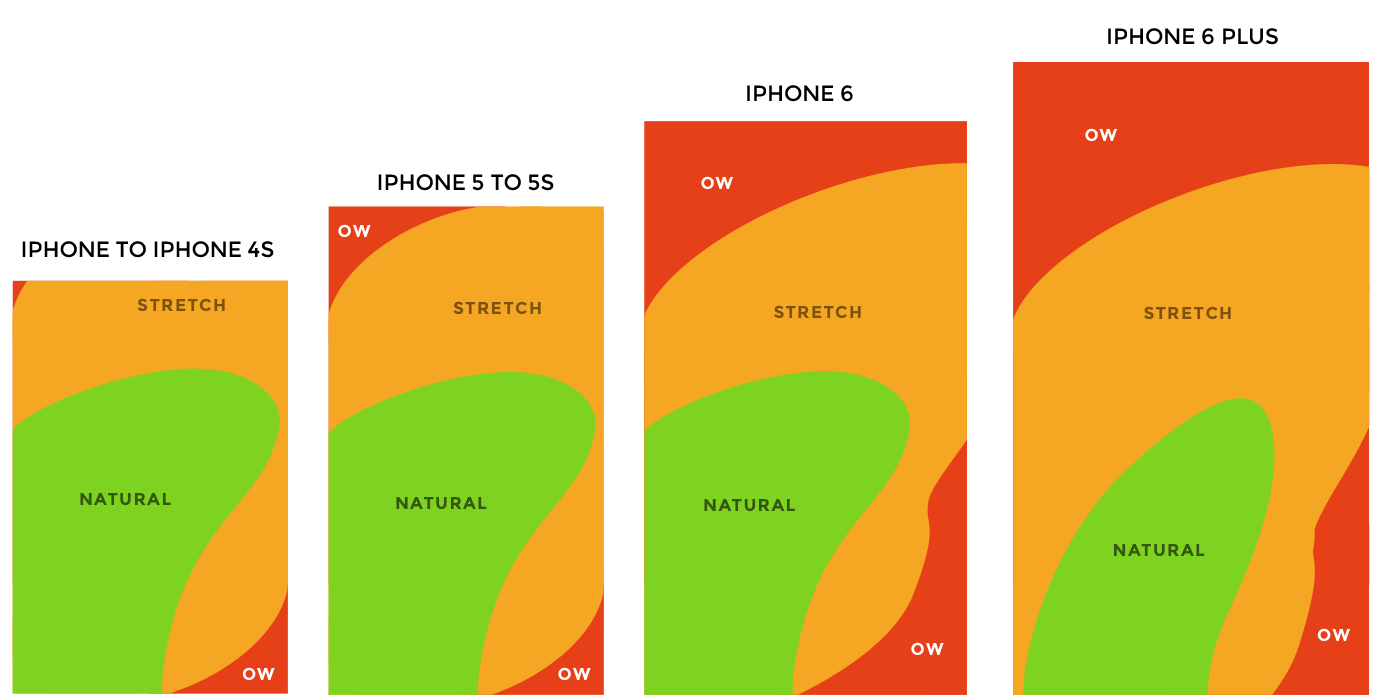
Finally, you have your new huge smartphone and want to reach the top corner of your display to open the menu. Typical case, right? My iPhone 6 would have almost slipped out of my hand several times. Of course, Apple offers a solution with the double-click function on the home button. But this first needs to be changed in the settings and may replace other useful functions. Additionally, there's the ambiguity of gesture functions - when the same movement is assigned a different function in each app. For example, swiping from left to right sometimes opens an off-canvas menu, and sometimes it takes you back to the previous page.
These minor difficulties led me to work on a methodology that allows interaction with elements without having to touch them. An idea that rethinks the current swipe mechanisms and can be easily used in any application.
The prerequisite here is that each screen is divided into different interaction areas. Depending on where the swipe movement ends, an action is performed. In this example, it would be "Menu" and "Back". The possible target is then displayed during the interaction through a short UI animation.
- Release in the upper half of the screen -> Open menu
- Release in the lower half of the screen -> Back to the previous screen